Using a phone as a motorcycle GPS is one of the easiest ways to add navigation to a motorcycle without buying a dedicated Garmin Zumo or another expensive navigator. Modern iPhones and Android phones have large, bright screens, accurate satellite positioning and access to navigation apps that do far more than provide directions to the nearest gas station. With the right motorcycle phone mount, vibration protection and a reliable power source, a smartphone can be a practical alternative to a dedicated GPS. But there are a few important differences to understand before attaching an expensive phone to your handlebars.
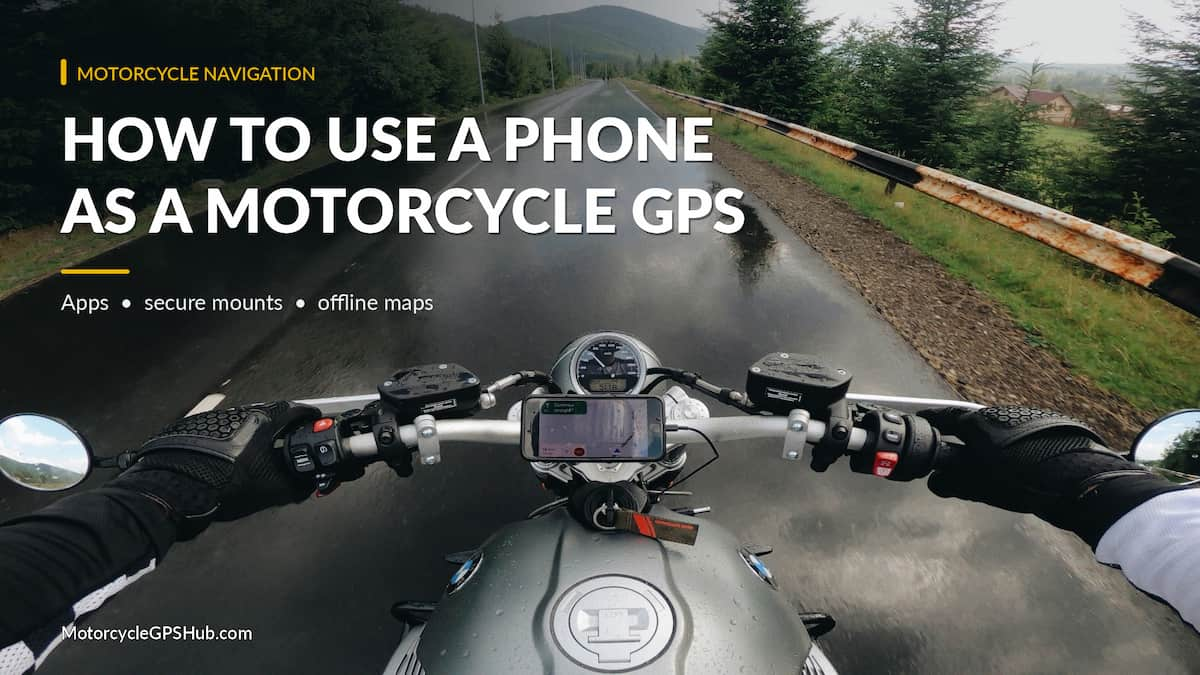
Quick Answer: You can use an iPhone or Android phone as a motorcycle GPS with Waze, Google Maps, Apple Maps or a dedicated motorcycle navigation app. Choose a secure motorcycle-rated mount with vibration damping, download offline maps when available, arrange charging for longer trips and configure your route before riding. For commuting and occasional touring, a smartphone may be all the GPS you need.
Can You Really Use a Smartphone as a Motorcycle GPS?
Yes, and for many riders it makes excellent sense. Nearly every modern smartphone has a built-in GNSS receiver that can determine its location using GPS and other satellite navigation systems. The phone doesn’t need cellular service simply to determine where it is. Cellular data becomes important when an app needs to download maps, calculate routes from an online service or retrieve live traffic information.
That distinction is especially useful for motorcycle navigation. A smartphone with suitable offline maps can continue guiding you through areas with limited cellular coverage, provided the application supports offline navigation and you’ve downloaded the necessary information ahead of time.
There are also advantages beyond the purchase price. A phone can combine navigation, music, communications, weather information and ride tracking. Addresses and destinations can often be shared between devices, and motorcycle-specific apps can help riders discover scenic roads and plan trips with multiple stops.
However, motorcycles expose smartphones to conditions that they rarely encounter inside a car. Vibration, direct sunlight, rain, gloves and limited battery life can all complicate using a phone as a GPS.
Before deciding whether to buy a dedicated navigator, it’s worth understanding both the software and the physical mounting setup.
Best Navigation Apps for Using a Phone on a Motorcycle
The navigation application is the starting point. You don’t need to purchase a motorcycle-specific app to get directions, but some apps are better suited to particular riding styles than others.
Waze: Best for Commuting and Traffic Alerts
Waze remains an excellent option for riders who frequently travel on highways or commute through congested areas. Its main advantage is the combination of navigation, traffic information and community-generated reports about road conditions.
Waze can alert riders to traffic slowdowns, crashes, stopped vehicles, road hazards and reported enforcement activity where supported. These reports can be especially useful on unfamiliar highways, although they depend on contributions from other users and should never be treated as a complete picture of road conditions.
One feature motorcycle riders should know about is Waze’s motorcycle vehicle setting. Open the app, select Settings, then Vehicle details, followed by Vehicle type and Motorcycle. This allows Waze to consider the selected vehicle type when providing routing and arrival estimates.
Waze is particularly useful when getting to your destination efficiently matters more than finding scenic roads. It isn’t intended to replace a motorcycle touring application with extensive route planning, GPX handling and curated riding roads.
Important limitation: Waze is designed around an active data connection. Previously loaded maps and routes may remain temporarily usable when connectivity drops, but Waze does not provide the dependable downloadable offline navigation system available in some competing applications. Don’t rely on it as your only navigation method for remote rides.
Google Maps: Best General-Purpose Navigation
Google Maps is another strong choice, particularly for riders who want to search for destinations, restaurants, fuel stops and other businesses along a route.
Its greatest strength is its extensive mapping and location database. Searching for a campground, motorcycle dealership or restaurant is usually easier than manually entering an unfamiliar street address.
Google Maps also supports offline maps. Before a trip, open the app, select your account profile, choose Offline maps and download the area covering your intended route. With the required area stored on the phone, driving navigation can continue without cellular data.
Offline operation has limitations. Live traffic information and alternate route suggestions aren’t available in the same way when disconnected. The downloaded area must also cover the roads you’re planning to travel.
Google offers a dedicated two-wheeler directions mode in selected regions, but availability is limited geographically. Riders in the United States should not assume that this feature will appear in their Google Maps installation.
For ordinary commuting, road trips and destination-based navigation, Google Maps is a logical starting point.
Apple Maps: A Good Option for iPhone Owners
Apple Maps deserves consideration for iPhone users, especially those already using other Apple devices and services.
It offers turn-by-turn directions, route guidance and downloadable offline maps in supported regions. Offline map availability was introduced with iOS 17, allowing compatible iPhones to provide directions without depending on an active cellular connection.
Apple Maps also integrates with Siri, which may be convenient when using a compatible Bluetooth motorcycle headset. Voice commands can reduce the need to interact directly with the screen, although riders should configure their equipment and confirm functionality before starting a ride.
Apple Maps is not a dedicated motorcycle route-planning application. Riders interested in scenic roads, curvy routing and specialized touring features may find more capability in software created specifically for motorcycling.
REVER: Motorcycle Routes, Ride Tracking and GPX
REVER is developed specifically for motorcycle riding. Rather than focusing exclusively on the quickest route between two destinations, it provides tools for discovering motorcycle roads, creating trips, recording rides and sharing routes.
REVER supports motorcycle route planning, including tools for selecting twisty roads and more advanced route-building options. It also offers GPX functionality, offline maps and turn-by-turn navigation through supported features and subscription levels.
One advantage of an application like REVER is the ability to plan the trip before leaving home. A route can include preferred roads, scenic sections and stops that might not be selected by a traditional fastest-route navigation app.
Some advanced features require REVER Pro. Check the current subscription options before assuming every feature is included in the free version.
For riders who spend time planning weekend trips or organized group rides, REVER is worth considering.
calimoto: Designed for Scenic Motorcycle Riding
calimoto is another motorcycle-specific navigation application. Its main appeal is route planning that emphasizes enjoyable roads rather than the shortest possible travel time.
It can generate round trips, help locate winding roads and provide motorcycle-oriented turn-by-turn navigation. Riders can also plan routes on a computer and access them through the mobile application.
Supported offline navigation and ride-recording features add flexibility for longer trips. As with REVER, some capabilities may depend on the chosen subscription plan.
For a rider who enjoys discovering new roads without manually building every turn, calimoto offers a different experience from Waze or Google Maps.
Which Motorcycle GPS App Should You Choose?
| App | Best Use | Offline Navigation |
|---|---|---|
| Waze | Traffic and commuting | No dependable downloadable offline mode |
| Google Maps | General navigation and destination searches | Yes, downloaded areas |
| Apple Maps | iPhone navigation | Yes, supported regions |
| REVER | Touring, GPX and ride tracking | Yes, supported features and plans |
| calimoto | Scenic roads and round trips | Yes, supported features and plans |
There’s no reason to limit yourself to one application. A rider might use Waze for commuting, Google Maps for locating businesses and REVER or calimoto when planning a recreational ride. Having a second app with downloaded maps can also provide useful backup navigation.
Choosing a Motorcycle Smartphone Mount
Once you’ve selected a navigation app, the next decision is how to attach the phone securely to the motorcycle. This is one area where experience with mounting equipment matters. A phone mount that works perfectly on a desk or automobile dashboard may be entirely unsuitable for a motorcycle.
The motorcycle exposes the mount to vibration, wind, bumps and continuous movement. A secure holder must retain the phone through those conditions without shifting or interfering with the rider’s controls.
Several common motorcycle mounting locations are worth considering.
Handlebar Mounts
The handlebar is one of the most popular mounting locations because it usually provides a convenient attachment point and allows the display to be positioned within the rider’s normal field of view.
Handlebar mounts are available in several designs, including clamps, U-bolt bases and dedicated locking systems. Before purchasing, measure the handlebar diameter at the intended mounting position. Not all motorcycles have the same handlebar dimensions, and tapered handlebars can vary in diameter along their length.
A mount with an adjustable arm or swivel can help position the phone without blocking gauges, mirrors or switches. It should also maintain enough clearance when the handlebars are turned fully in either direction.
Brake or Clutch Reservoir Mounts
For motorcycles with limited available handlebar space, a mount attached near the brake or clutch reservoir may be an alternative.
These systems commonly use replacement fasteners or a mounting plate designed for the reservoir or control assembly. Compatibility depends on the motorcycle, bolt spacing and the design of the mounting system.
Only use hardware intended for the specific mounting arrangement, particularly when working near safety-critical controls. The installation must not compromise the reservoir cover or interfere with braking and clutch operation.
Fork-Stem and Other Mounting Locations
Sport motorcycles sometimes have limited handlebar space, making fork-stem mounts attractive. Touring motorcycles may provide dedicated navigation bars, accessory crossbars or other mounting provisions.
Regardless of location, the phone should remain visible without requiring the rider to look far away from the road. It must also remain clear of the steering mechanism, cables and instrument panel.
For more information about mounting locations and installation considerations, see our motorcycle GPS mounting and installation guide. Many of the same positioning principles apply to smartphone mounts.
Locking Holders vs Universal Cradles
Motorcycle smartphone mounts generally fall into two broad categories. Universal cradles hold the device using adjustable side grips, corner supports or other mechanical retention systems. Phone-specific mounts use a compatible case or attachment interface that locks into the mounting head.
Neither approach is automatically superior. A universal holder can accommodate different phones without requiring a special case, while a phone-specific system may offer a more compact design and repeatable attachment.
The important considerations are positive retention, compatibility with the phone’s dimensions, clearance around the buttons and camera, and the availability of vibration protection.
A secondary safety tether can provide additional security when compatible with the mounting system. It should be installed so it cannot become tangled in the motorcycle’s controls.
Motorcycle Phone Mount Systems Worth Considering
A good phone mount must match the motorcycle, the phone and the riding conditions. These three established systems offer different approaches. They are examples to compare, not products we claim to have personally road-tested for this article. A mount head alone is not necessarily a complete kit, so confirm the case or adapter, handlebar hardware and damping options before ordering.
| System | Complete configuration to select | Why consider it |
|---|---|---|
| Quad Lock Motorcycle Mount | Compatible phone case or universal adapter, matching motorcycle mount and vibration dampener | Twist-lock mounting with a range of mounting locations |
| SP Connect Moto Pro | Moto Mount Pro, matching phone case and optional anti-vibration module selected with the bundle | Compact twist-lock system with an adjustable metal mount |
| Peak Design Motorcycle Bar Mount | Motorcycle Bar Mount plus compatible Peak Design Mobile case or adapter | Integrated vibration isolation and optional wireless charging version |
Quad Lock: Its motorcycle kit configurator lets you select a handlebar or other bike-specific mount, a matching phone attachment and a vibration dampener. Check your bike’s mounting location and whether the chosen setup includes every piece before checkout.
SP Connect: The Moto Bundle pairs the Moto Mount Pro with a case chosen for your phone. Select its anti-vibration module if you want that extra protection. The bundle does not mean the dampener is automatically included in every configuration.
Peak Design: The Motorcycle Bar Mount uses the company’s SlimLink attachment system and includes vibration isolation in the mount. A compatible case or adapter is still required, so shop the combination rather than the handlebar component by itself.
Before buying: Confirm handlebar or stem dimensions, phone compatibility, case fit, steering clearance and vibration guidance. These links go to the manufacturers’ product pages, not Amazon listings. We recommend comparing complete setups instead of buying unrelated parts that may not fit together.
Motorcycle Vibration Can Damage Smartphone Cameras
This is one of the most important considerations when using a modern smartphone as a motorcycle GPS, and it deserves more attention than it received when smartphones first became popular navigation devices.
Many phones contain optical image stabilization and autofocus mechanisms with components that move to compensate for camera shake. Motorcycle engine vibration can expose these components to repeated movement at frequencies that may affect their performance.
Apple has published a technical warning about motorcycle vibration and iPhone camera systems. The company explains that high-amplitude engine vibration may degrade optical image stabilization and autofocus. Apple advises against attaching iPhones to motorcycles with high-power or high-volume engines. For lower-powered vehicles, it recommends vibration damping to reduce risk, not to guarantee protection.
This is not necessarily limited to iPhones. Other smartphones use similar camera technologies, although the exact design and manufacturer guidance vary.
Why a Vibration-Dampening Mount Matters
Some motorcycle phone mounting systems incorporate vibration dampeners between the motorcycle and the phone. These accessories use materials or mechanical designs intended to reduce the transmission of harmful vibration frequencies.
Quad Lock, for example, offers a motorcycle vibration dampener that uses a suspended mounting arrangement with silicone components. Similar concepts are available from other mounting manufacturers.
A vibration dampener can reduce exposure, but cannot guarantee that a smartphone camera will never be damaged. The results depend on the motorcycle, mounting location, vibration characteristics and damping system.
For a modern phone with an expensive camera system, choosing a motorcycle-rated mount with suitable vibration protection is more sensible than using an ordinary generic handlebar holder.
Riders concerned about vibration exposure should consider using a dedicated navigation display or GPS instead of mounting their primary smartphone directly to the motorcycle.
Protecting a Smartphone From Rain and Road Conditions
Many current smartphones have impressive water-resistance specifications. That doesn’t mean every phone should be left exposed to hours of rain, road spray and wind while mounted on a motorcycle.
Water-resistance ratings are established under controlled testing conditions. They do not guarantee unlimited protection from rain driven into charging ports, repeated exposure, damaged seals or other demanding conditions. Water resistance can also decline as a phone ages.
A suitable protective case can add another layer of protection, but it introduces considerations of its own. The case must remain compatible with the mount, allow sufficient screen visibility and avoid accidental button presses.
Fully enclosed waterproof holders can provide useful weather protection, although some may make touch operation more difficult and trap heat around the phone.
For longer rides in unpredictable weather, a dedicated motorcycle display or GPS may be more convenient than continually managing the phone’s exposure to the elements.
Direct Sunlight and Overheating
Water isn’t the only environmental concern. Smartphones can become extremely warm when exposed to direct sunlight, particularly while running navigation software with the display at high brightness.
Charging the phone at the same time can add more heat. Under certain conditions, a phone may reduce screen brightness, slow charging or temporarily restrict operation to protect its internal components.
Try to choose a mounting position that provides adequate visibility without leaving the phone unnecessarily exposed to heat. Avoid completely enclosing it in a poorly ventilated case during hot weather unless the case is designed to manage those conditions.
If the phone reports a temperature warning, stop in a safe location and allow it to cool according to the manufacturer’s instructions.
Powering and Charging Your Phone on a Motorcycle
Continuous navigation can consume substantial battery power. The display, satellite positioning, cellular data and wireless connections may all be active during a ride.
For short trips, a fully charged phone may provide enough battery life without external power. For longer touring days, a motorcycle charging system is worth considering.
Several motorcycles already have USB ports or accessory power outlets. Others can be equipped with a dedicated motorcycle USB charging system.
A suitable setup should deliver the power required by the phone, provide appropriate electrical protection and position the cable so it does not interfere with the handlebars or controls.
If installing a charger directly on the motorcycle, an ignition-switched or otherwise properly controlled power source is preferable when appropriate. This reduces the risk of leaving accessories drawing power from the motorcycle battery while the engine is off. The wiring should also be fused as specified by the charger manufacturer.
Wired vs Wireless Charging
Wired USB charging is common and can provide a dependable power connection when the cable and connector are properly protected. Be aware that exposed charging ports may be vulnerable to moisture, particularly during rain.
Wireless motorcycle charging mounts offer a cleaner arrangement without a cable attached directly to the phone. However, the phone, case and charger must be compatible, and wireless charging can generate additional heat.
Some smartphones also restrict charging when moisture is detected in a connector or when the device becomes too hot. Whatever charging method you select, test it before a long trip rather than discovering a problem after the battery is nearly depleted.
Using Offline Maps When There’s No Cellular Service
Motorcycle navigation doesn’t have to end when the cellular signal disappears. The GPS receiver in a modern smartphone can determine location without an active cellular data connection, but the navigation application still needs access to the necessary map and routing information.
For Google Maps, download the relevant map areas before leaving home. Make sure the downloaded coverage includes not only your destination but also the roads connecting the stops along your trip.
Apple Maps provides downloadable offline areas in supported regions. Motorcycle-oriented applications such as REVER and calimoto also provide offline features, although available capabilities and subscription requirements vary.
Before heading into an area with limited coverage, check the maps and routes while the phone is still connected. Ideally, test your offline navigation setup in airplane mode while parked, with location services enabled, to confirm the necessary maps and routing information are available.
Remember that traffic reports, weather updates, destination searches and other live services may be unavailable without data, even when basic positioning and navigation continue working.
Bluetooth Helmet Headsets and Voice Directions
One advantage of smartphone navigation is its ability to provide audible directions through compatible Bluetooth helmet communication systems.
Major motorcycle headset manufacturers such as Cardo and Sena offer Bluetooth connectivity with smartphones. Once paired, compatible applications can announce upcoming turns and other navigation information through the helmet speakers.
This can reduce the need to look at the display every time a turn approaches. A rider may be able to keep the phone protected in a jacket pocket or other suitable location while following voice directions, although the phone and audio setup should be tested beforehand.
Voice guidance works best when instructions are clear and the route isn’t changing constantly. Wind noise, helmet fit, speaker position and other audio sources can all affect how well directions are heard.
Configure the navigation and headset before riding. Do not attempt to troubleshoot connections, search for destinations or make complicated changes while the motorcycle is moving.
What About a Motorcycle CarPlay or Android Auto Display?
A newer alternative to mounting the phone itself is a dedicated motorcycle display supporting Apple CarPlay or Android Auto.
These devices provide a separate screen mounted on the motorcycle while using a compatible smartphone for navigation and supported applications. Depending on the model, the display may offer weather resistance, glove-friendly controls and mounting hardware designed for motorcycles.
The smartphone can remain protected in a pocket, luggage compartment or another suitable location, while the rider views compatible navigation apps on the separate display.
This arrangement has several advantages. The expensive phone isn’t directly exposed on the handlebars, and the motorcycle display can remain installed as part of the bike’s navigation setup.
There are also limitations. Most CarPlay and Android Auto motorcycle displays rely on a connected smartphone rather than containing a complete standalone navigation system. Their usefulness without cellular service depends on the connected phone and the selected navigation application.
For riders who prefer their smartphone’s navigation software but don’t want to expose the phone itself, a motorcycle CarPlay display may be worth considering.
Smartphone vs Dedicated Motorcycle GPS: Which Is Better?
A modern smartphone is a capable navigation device, but it doesn’t duplicate every advantage of a dedicated motorcycle GPS.
Devices such as the Garmin Zumo XT3 are designed around motorcycle use. They combine weather-resistant hardware, glove-friendly displays, powered mounting arrangements, installed maps and motorcycle-specific navigation features.
Smartphones offer flexibility, familiar applications and the convenience of using equipment you already own. Dedicated motorcycle GPS units offer a more self-contained navigation system that is designed for exposure to outdoor riding conditions.
| Feature | Smartphone | Motorcycle GPS |
|---|---|---|
| Initial hardware cost | Low if already owned | Higher |
| Navigation applications | Wide selection | Dedicated navigation software |
| Weather resistance | Varies by phone and case | Designed for outdoor use |
| Glove operation | Depends on phone and gloves | Glove-friendly on many models |
| Offline navigation | Supported by selected apps | Installed maps on supported devices |
| Camera vibration risk | A concern on some phones | No smartphone camera to expose |
| Best suited for | Commuting and occasional touring | Frequent touring and adventure riding |
The price difference is significant enough to deserve its own discussion. Our guide explaining why motorcycle GPS units are so expensive covers the rugged hardware, specialized displays, mounting systems and navigation features that contribute to the cost. It’s worth reading before spending money on a dedicated Garmin Zumo.
If you’re considering a standalone navigator rather than a phone, our best motorcycle GPS and navigation systems guide compares the main approaches and helps identify the right type of device for your riding.
Prefer a dedicated motorcycle GPS? The Garmin Zumo XT3 is an alternative when you want weather-resistant navigation without exposing your phone on the handlebars.
How to Set Up a Smartphone for Motorcycle Navigation
A little preparation makes a substantial difference in how well a smartphone works as a motorcycle GPS. Before your first trip, use the following checklist.
- Choose the navigation app. Decide whether you primarily need traffic guidance, destination searches or motorcycle-specific touring routes. Install and configure the application before leaving.
- Download offline maps. If the app supports offline navigation, download the region covering your planned ride and verify that the route works without mobile data.
- Install a motorcycle-rated mount. Select a secure mounting location and use vibration protection appropriate for your phone and motorcycle.
- Check steering clearance. Turn the handlebars fully in both directions while parked and confirm that the mount, phone and cables do not contact the controls or interfere with movement.
- Arrange a power source. For long rides, use a suitable motorcycle charger or verify that the phone has enough battery capacity for the trip.
- Configure weather protection. Determine how you’ll protect the phone and charging connection if rain is expected.
- Pair your Bluetooth headset. Test navigation audio and confirm that directions can be heard clearly.
- Plan the complete route. Save destinations, stops and any required route information before starting the motorcycle.
- Test the setup. While parked, check screen visibility, mounting security, charging, audio and offline navigation before depending on the system for a longer trip.
If you plan complicated routes in advance or exchange ride files with other motorcyclists, GPX compatibility can become important. Our guide to GPX files and Garmin Zumo navigation explains how routes, tracks and waypoints work, including the differences that can occur when transferring routes between navigation systems.
Frequently Asked Questions
Can I use my phone as a motorcycle GPS without cellular service?
Yes, provided you use a navigation application that supports offline maps and have downloaded the necessary data beforehand. The phone’s satellite positioning system does not require cellular coverage to determine location. Waze is not a dependable choice for full offline navigation, while Google Maps, Apple Maps and selected motorcycle apps offer offline capabilities.
Will motorcycle vibration damage my smartphone?
It can. Certain motorcycle vibrations may affect the optical image stabilization or autofocus systems in some smartphone cameras. Apple has published specific guidance warning about this risk. A suitable vibration-dampening mount can reduce exposure, but it cannot guarantee that damage will never occur.
Is Waze a good motorcycle GPS app?
Yes, particularly for commuting, highway navigation and live traffic reports. Waze also offers a motorcycle vehicle setting. For scenic touring, offline trips or detailed route planning, a specialized motorcycle app may be a better option.
Can I use Google Maps on a motorcycle?
Yes. Google Maps works well for destination-based motorcycle navigation. It provides driving directions, destination searches and offline maps. Google also offers two-wheeler routing in selected regions, although this feature is not universally available.
Do I need a waterproof phone case?
That depends on the phone’s water-resistance rating, mounting position and the conditions in which you ride. A protective case may be useful, but no case should be assumed to provide unlimited protection. Consider rain exposure, charging-port protection, heat buildup and touchscreen usability.
Is a smartphone better than a Garmin Zumo?
For some riders, yes. A smartphone is convenient and can provide excellent navigation without requiring another expensive device. A Garmin Zumo is designed specifically for motorcycles and offers advantages in weather resistance, glove operation, dedicated mounting and specialized navigation. The best choice depends on the kind of riding you do.
Final Verdict: Should You Use a Smartphone as a Motorcycle GPS?
For commuting, local rides and occasional touring, a smartphone can be an excellent motorcycle GPS. Modern navigation applications provide accurate directions, useful traffic information, offline mapping options and even specialized routes for motorcyclists.
The deciding factor is often not the navigation software but the mounting arrangement. A secure motorcycle-rated holder, suitable vibration protection, weather considerations and dependable power can make the difference between a useful navigation setup and an expensive problem.
Frequent long-distance touring and adventure riding place greater demands on navigation equipment. A dedicated motorcycle GPS may still be the better solution for riders who want a rugged, self-contained device that doesn’t expose their primary smartphone to the elements.
Our recommendation: If you already own a capable smartphone, start by exploring the navigation apps and determining whether a suitable motorcycle mounting and charging setup meets your needs. There’s no reason to purchase a dedicated GPS until you’ve identified something your phone cannot do well enough.