Choosing the best motorcycle action camera depends first on where you plan to mount the lens and how you want it to work with your cockpit electronics. A rider looking for a lightweight motorcycle helmet camera for chin-bar point-of-view (POV) recording has very different hardware priorities than a rider clamping a 360-degree camera to the handlebars or wiring a permanent front-and-rear motorcycle dash cam and smart display into the bike’s 12V accessory circuit. On two wheels, your camera must handle high-frequency engine vibration, highway wind blast, heavy rain, and multi-hour touring days without overheating or losing battery power halfway through a ride.
Just as important for touring and adventure riders, modern cameras integrate directly with the navigation, mounting, and audio gear already on your bars. Years ago, riders who wanted GPS telemetry overlays or screen control had to pair a discontinued Garmin VIRB camera with a legacy Garmin Zumo over ANT+. Today, flagship cameras from DJI, GoPro, and Insta360 bolt directly onto standard 1-inch RAM ball mounts, pair wirelessly over Bluetooth with Cardo and Sena helmet headsets, stamp GPS speed and route tracks onto your video, and even connect over Bluetooth to smart motorcycle CarPlay screens like the CHIGEE AIO-6 LTE. Our recommendations draw on 20 years of experience selling and evaluating GPS devices and mounting equipment, supported by product research and technical analysis.
Quick answer: For most riders, the DJI Osmo Action 4 Standard Combo is the best motorcycle action camera overall and the top value pick for a helmet chin mount, combining a large 1/1.3-inch sensor, RockSteady 3.0 stabilization, magnetic quick-release latches, and two-hour battery life. Choose the GoPro HERO13 Black if you want built-in GPS speed and route telemetry stickers, the Insta360 X4 if you want an 8K 360 handlebar camera that captures every angle at once, or the 6-inch CHIGEE AIO-6 LTE if you want a hardwired CarPlay and 4G LTE smart cockpit display that supports modular front/rear 60 fps dash cams and triggers your GoPro or Insta360 directly from the handlebars.
Best Motorcycle Action Cameras at a Glance
| Camera / Mount Model | Best Use Case | Resolution & Stabilization | Mount & GPS Integration |
|---|---|---|---|
| DJI Osmo Action 4 Standard Combo | Best Motorcycle Helmet Camera & Value Pick | 4K/120fps, 1/1.3″ Sensor, RockSteady 3.0 + HorizonSteady | Magnetic quick-release latch; Bluetooth helmet mic pairing |
| GoPro HERO13 Black Bundle | Best for Built-In GPS Speed Overlays | 5.3K/60fps 10-Bit HLG HDR, HyperSmooth 6.0 + Horizon Lock | Onboard GPS speed/path gauges; built-in 1/4″-20 RAM thread |
| Insta360 X4 8K 360 Camera | Best 360 Handlebar & Cockpit Camera | 8K/30fps & 5.7K/60fps 360, FlowState + 360 Horizon Lock | Syncs with Garmin GPS tracks, Bluetooth headsets & CHIGEE screens |
| AKASO Brave 7 LE Action Camera | Best Entry-Level Budget Pick | 4K/30fps, 6-Axis EIS 2.0, IPX7 Weatherproof Body | Includes 2x 1350mAh batteries, wrist remote, and helmet mount kit |
| CHIGEE AIO-6 LTE Smart Display | Best Smart Cockpit Display & Dash Cam Hub | 6″ 2,000-Nit IP69K Display + Modular 1080p/60fps Dash Cam Support | Built-in 4G LTE tracking, SOS alerts, CarPlay & GoPro/Insta360 trigger |
| RAM-B-237U 1″ Ball 1/4″-20 Stud | Best RAM Handlebar Camera Adapter | 1″ B-Size Elastomeric Rubber Ball + 1/4″-20 Camera Post | Connects GoPro HERO13 or Insta360 to any RAM socket arm |
1. Best Motorcycle Helmet Camera & Value Touring Pick: DJI Osmo Action 4
When riders search for the best motorcycle helmet camera for chin-bar POV recording and scenic touring without paying flagship bundle prices, the DJI Osmo Action 4 Standard Combo stands out as the smartest purchase on the market. Because it sits one generation behind DJI’s newest release, it offers a massive value advantage while retaining a large 1/1.3-inch CMOS image sensor with an f/2.8 aperture that gathers far more light than entry-level cameras when you ride through shaded forest canopies, canyons, or late-afternoon mountain passes.
Three motorcycle-specific hardware advantages make the Osmo Action 4 ideal for helmet and handlebar duty. First, DJI’s magnetic quick-release mounting base lets you unclip the camera from your helmet chin bar at a fuel stop and snap it onto a handlebar mount in seconds without fumbling with a plastic thumb screw while wearing riding gloves. Second, it runs noticeably cooler than high-resolution 5.3K competitors during slow summer city traffic, recording 4K/60fps or 1080p/60fps with RockSteady 3.0 stabilization without thermal shutdowns.
Third, its 1770mAh Extreme Battery records for over two hours at 1080p (and roughly 90 to 100 minutes in 4K) and fast-charges via USB-C to 80 percent in 18 minutes during a roadside coffee break. It also records in 10-bit D-Log M color mode and pairs directly over Bluetooth with helmet intercoms so you can record voice audio without routing a wired microphone into your helmet shell. Riders looking for up to four hours of battery runtime and 1,000-nit OLED screens can also consider the newer DJI Osmo Action 5 Pro, though the Action 4 remains the value sweet spot for touring.
Best for: Riders who want a reliable, compact motorcycle helmet camera with flagship stabilization, magnetic quick-release mounting, and 10-bit color at a mid-range budget.
Skip it if: You want built-in GPS telemetry gauges without buying an external Bluetooth GPS remote.
2. Best Action Camera for Motorcycle GPS Overlays: GoPro HERO13 Black
If you are comparing GoPros for motorcycles and want live telemetry gauges stamped onto your ride footage, the GoPro HERO13 Black is the model to buy. When GoPro released the previous HERO12 Black, it removed the internal GPS chip, which meant motorcyclists could no longer add speed, altitude, route path, or G-force stickers to their clips. The HERO13 Black restores built-in GPS hardware, letting you toggle on GPS Performance Stickers inside the GoPro Quik mobile app right out of the box.
The HERO13 Black also upgrades the bottom of the camera chassis with a three-way mounting system that works well with motorcycle cockpits. Alongside the fold-out 2-prong GoPro fingers and snap-in Magnetic Latch compatibility, GoPro tapped a standard 1/4″-20 female tripod thread directly into the center of the baseplate. That allows you to thread the camera straight onto a 1-inch RAM camera ball stud without using plastic adapter fingers that can creak or flex over rough pavement.
In bright daylight, the HERO13 Black captures class-leading 5.3K/60fps and 4K/120fps video in 10-bit HLG HDR or GP-Log, backed by HyperSmooth 6.0 stabilization and 360-degree Horizon Lock. It also supports wireless Bluetooth microphone pairing with Cardo and Sena helmet headsets and features a larger 1900mAh Enduro battery. If you do not need onboard GPS speed gauges, the previous-generation GoPro HERO12 Black offers the same 5.3K60 image sensor and 1/4″-20 base threads at a lower cost.
Best for: Riders who want built-in GPS speed and route overlays, sharp 5.3K daytime video, and three-way helmet or RAM handlebar mounting.
Skip it if: You ride mostly after dark or want the lowest-cost camera for casual touring.
3. Best 360 Camera & Insta360 for Motorcycle Handlebar Mounts: Insta360 X4
A traditional forward-facing camera only captures what is directly in front of the lens. If you bolt a single-lens camera to your handlebars and ride past a dramatic canyon view off to your left, you miss the scenery entirely. Choosing an Insta360 for motorcycle touring solves that problem by using dual fisheye lenses to record a complete 8K 360-degree sphere around your bike at all times.
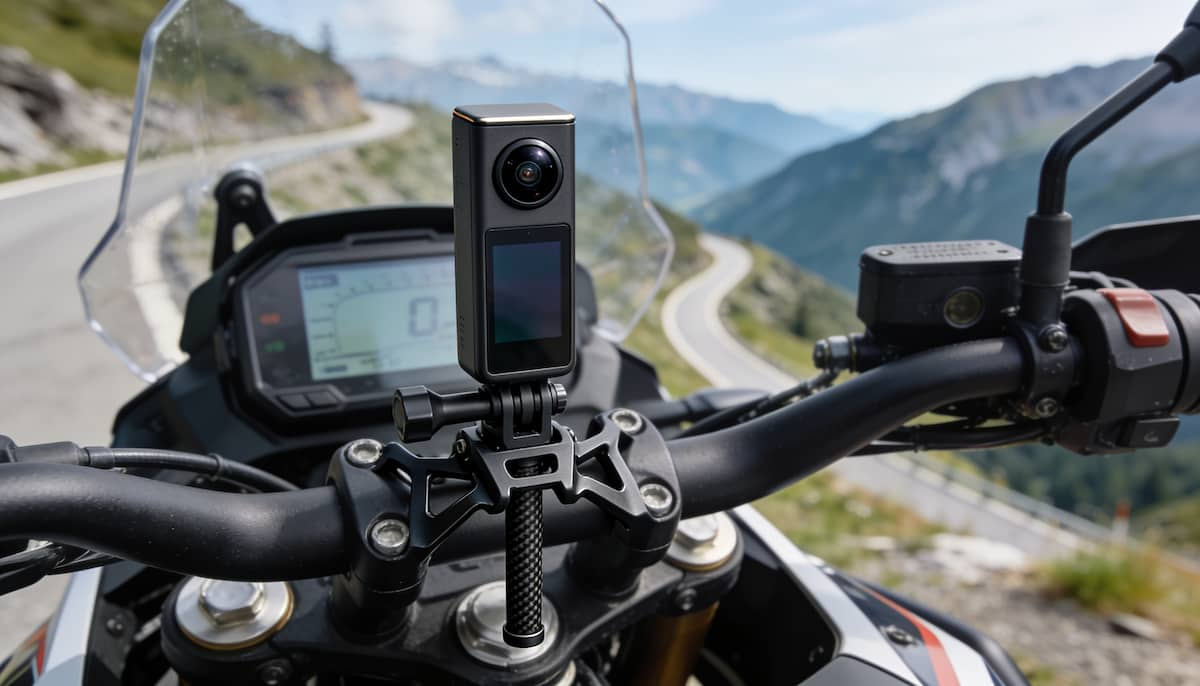
When you set up an Insta360 X4 on a handlebar clamp or mirror stalk, one camera simultaneously records the twisty road ahead, your GPS navigation screen and speedometer, your riding position, and the landscape on both sides of the highway. After the ride, you open the footage in the Insta360 phone app and choose your camera angles in post-production, panning smoothly from a forward view to a cockpit view or a third-person tail view. The X4 also upgrades to removable twist-off lens guards to shield the curved glass from flying road grit, boosts battery runtime to 135 minutes at 5.7K/30fps, and includes a 4K/60fps Single-Lens Mode when you just want standard flat POV video.
For riders who run a connected cockpit, Insta360 integrates deeply with motorcycle electronics. You can pull GPS speed, incline, and route data from a Garmin device or your smartphone to display telemetry gauges on the video, pair directly with Cardo and Sena Bluetooth headsets for intercom audio, and even trigger recording over Bluetooth from a CHIGEE motorcycle CarPlay display. Riders shopping on a tighter budget can also look at the previous-generation Insta360 X3, which shoots 5.7K 360 video with the same FlowState stabilization and Horizon Lock.
Best for: Handlebar and rear tail mounting, capturing forward and rider views from a single camera, and syncing with Garmin GPS data or cockpit displays.
Skip it if: You prefer not to reframe 360 clips on your smartphone before sharing them.
4. Best Entry-Level Budget Helmet Camera: AKASO Brave 7 LE
If you want to record weekend rides on an entry-level budget without spending flagship money, the AKASO Brave 7 LE Action Camera is one of the few affordable cameras built with an IPX7 water-resistant bare housing so you do not have to seal it inside a muffled plastic diving shell just to survive a rain shower. The camera package includes front and rear color screens, 4K/30fps and 1080p/60fps video capture, two 1350mAh rechargeable batteries with a dual USB charger, a wireless wrist remote, and a full box of helmet and handlebar mounting buckles.
To get clean results from an entry-level camera on a motorcycle, you have to respect its stabilization limits. Its 6-axis Electronic Image Stabilization (EIS 2.0) handles normal head movements well, but it cannot filter out raw engine vibration if you clamp the camera directly to a metal crash bar or handlebar on a twin-cylinder bike. Always run the AKASO Brave 7 LE on a helmet chin mount, where your body and neck absorb road shock before it reaches the camera sensor.
Best for: Riders who want a complete, rain-ready starter helmet camera kit with two batteries and mounting hardware included in the box.
Skip it if: You plan to bolt the camera directly to vibrating handlebars or want 10-bit log color grading.
5. Best Smart Cockpit Display, Dash Cam Hub & Action Cam Trigger: CHIGEE AIO-6 LTE
Many riders searching for a motorcycle camera want two things that a battery-powered helmet camera cannot deliver on its own: continuous ignition-powered ride security and a central handlebar screen that coordinates navigation and camera control. While portable action cameras include loop-recording modes, they still rely on small batteries and must be unclipped at every restaurant or fuel stop so they do not walk away.
The 6-inch CHIGEE AIO-6 LTE 4G Smart Riding Display bridges the gap between wireless Apple CarPlay or Android Auto navigation, connected bike security, and motorcycle camera control. Built around a 2,000-nit dual-backlight HD touchscreen with an IP69K waterproof rating, it wires directly into your motorcycle’s 12V battery and switched accessory circuit. When you expand it with CHIGEE’s optional front and rear 1080p 60fps HDR Sony STARVIS camera kit, it acts as a permanent motorcycle dash cam with camera-based AI Blind Spot Detection (BSD), GPS speed and coordinate video overlays, and remote 4G live video wake-up so you can check on your parked motorcycle from your phone. If you want to compare handlebar camera displays against hidden under-seat 4K and 1080p dual-lens recorders like the Vantrue F1 and VIOFO MT1, read our dedicated best motorcycle dash cam guide.
Even if you prefer shooting with a helmet or handlebar action camera, the AIO-6 LTE integrates directly with select GoPro and Insta360 cameras over low-power Bluetooth. Once your camera is in Bluetooth remote mode, you can start and stop recording directly from the 6-inch AIO-6 LTE screen (or its optional handlebar controller) without taking your hands off the grips or draining your camera battery over Wi-Fi. Its built-in 4G LTE modem also adds real-time GPS bike tracking, electronic geo-fence tamper alerts, and Bosch-developed automatic crash SOS notifications.
Best for: Touring and adventure riders who want a 6-inch 2,000-nit CarPlay and Android Auto display with 4G LTE security tracking, Bluetooth GoPro/Insta360 shutter control, and modular 1080p/60fps front and rear dash cam expansion.
Skip it if: You only want a pocketable battery-powered camera and do not need a handlebar navigation display. Note that the front/rear HDR dash cameras and quick-release brackets are modular add-ons sold separately from the base AIO-6 LTE display.
Mounting Camera on Motorcycle: Helmet Chin vs. Insta360 & RAM GoPro Mounts
Properly mounting a camera on a motorcycle is just as important as the camera sensor itself. A flagship camera bolted to a flimsy plastic clamp will produce shaky, unwatchable video, while a mid-range camera mounted on the right vibration-damped base will look rock-steady. If you already use a 1-inch RAM B-size setup from our motorcycle GPS mount installation guide, you can tie your action camera straight into your existing handlebar hardware.
1. Motorcycle GoPro Mount & 1-Inch RAM Handlebar Setup
To build a vibration-damped motorcycle GoPro mount or DJI handlebar mount alongside your GPS, start with a 1-inch RAM B-size rubber ball base such as the RAM-B-231ZU handlebar U-bolt base and a RAM-B-201U medium double-socket arm. The elastomeric rubber ball absorbs high-frequency engine buzz before it reaches the camera body. At the top of the arm, attach one of two camera ball adapters:
- RAM-B-237U (1-Inch Ball with 1/4″-20 Male Threaded Stud): Threads directly into the bottom 1/4″-20 socket on a GoPro HERO13 Black, GoPro HERO12 Black, Insta360 X4, or Insta360 X3 for a low-profile connection.
- RAM RAP-B-202U-GOP1 (1-Inch Ball with 2-Prong Action Camera Adapter): Connects directly to standard 3-prong GoPro, DJI Osmo Action, and AKASO mounting buckles.
- Locking Your Cockpit Hardware: If you leave your camera mount on the bike during fuel stops, replace the standard RAM arm thumb screw with a key-locking knob as covered in our motorcycle GPS anti-theft guide.
2. Choosing an Insta360 Motorcycle Mount (Why Extension Poles Need Zero-Ball Clamps)
When shopping for an Insta360 motorcycle mount, you must match the clamp style to whether you are mounting the camera flush on the bars or extending an Invisible Selfie Stick. If you thread an Insta360 X4 or X3 directly onto the handlebars with no extension pole, a standard 1-inch RAM ball (RAM-B-237U) works well. However, if you extend a 36-inch selfie stick off your handlebars, crash bars, or rear passenger peg to capture third-person drone-style angles, wind leverage at highway speeds will force a single rubber ball joint to slip downward. For extended 360 poles, always use a rigid mechanical claw clamp designed with no ball joint (such as the Insta360 Heavy Duty Clamp) or a dual-clamp support brace.
3. Helmet Chin Mounts vs. Windscreen Clamps
For single-lens POV cameras like the DJI Osmo Action 4 and GoPro HERO13 Black, a custom-contoured helmet chin mount provides the most natural rider view. Unlike top-of-helmet mounts that catch highway wind and pull your head back, a chin mount sits cleanly in the aerodynamic slipstream in front of your chin bar, shows your handlebars and GPS screen in the lower third of the frame, and lets your neck isolate the camera from road bumps. On adventure bikes with tall acrylic shields, a silicone-lined aluminum windscreen clamp is a great secondary mount for forward-only scenic shots.
Power, MicroSD Cards & Helmet Audio for All-Day Touring
Running a motorcycle camera across multi-day tours requires the same electrical and storage preparation as setting up a dedicated GPS navigator:
- Continuous 5V USB Handlebar Power: If you mount your camera on the handlebars and plug it into a switched USB port for all-day recording, remove the internal battery when riding in 90°F+ summer heat so the camera runs cooler on external power alone. Remember that opening the USB-C door exposes the port to rain unless you use a weather-sealed pass-through door. Read our motorcycle USB and 12V GPS power guide for wiring a switched handlebar power outlet.
- Use Only U3 / V30 A2 microSDXC Cards: High-bitrate 4K/60fps, 5.3K, and 8K 360 video requires sustained write speeds of at least 30 MB/s. Cheap Class 10 cards will drop frames or freeze recording mid-ride. Use a name-brand UHS-I U3 / V30 microSDXC card (128GB to 256GB) and format it inside the camera before your trip, following the storage rules in our motorcycle microSD card guide.
- Bluetooth Helmet Microphone Pairing: Bare action camera microphones record mostly wind roar above 45 mph. Rather than taping a wired lavalier microphone inside your cheek pads, pair a DJI Osmo Action 4, GoPro HERO13 Black, or Insta360 X4 over Bluetooth with a communicator from our best motorcycle Bluetooth headsets guide to capture clean voice commentary inside your helmet.
Beginner Settings for Scenic Touring & 1-Tap Color Grading
You do not need expensive desktop editing software to make motorcycle touring footage look smooth and balanced. Change these four camera settings before your next ride:
- Record in 4K at 30fps or 60fps for Daily Touring: Shooting at 4K/30fps or 4K/60fps gives you sharp road detail while keeping battery drain, heat, and microSD file sizes far more manageable than 5.3K or 8K modes on all-day rides.
- Shoot 10-Bit D-Log M (DJI) or 10-Bit HLG (GoPro) with 1-Tap App Color Recovery: Standard 8-bit video often blows out bright clouds above dark tree-lined roads. Switching to 10-bit D-Log M on the DJI Osmo Action 4 (or 10-bit mode on the GoPro HERO13) preserves both sky highlights and shadow detail. When you open the clip in the free DJI Mimo, GoPro Quik, or Insta360 mobile app, tap the built-in Color Recovery / Official LUT toggle to apply rich, natural color grading in a single tap.
- Lower In-Camera Sharpness to Low: Factory default sharpness settings add harsh digital halos around road grain and tree branches. Setting Sharpness to Low produces a much cleaner, more natural film look right out of the camera.
- Use an ND16 or ND32 Filter on Sunny Highways: In bright midday sun, an action camera defaults to an ultra-fast shutter speed (such as 1/2000s) that freezes every pebble on the asphalt and makes highway speed look choppy. Snapping an ND16 or ND32 filter over the lens slows the shutter speed down to create natural motion blur along the road edges while keeping the horizon sharp. Always remove ND filters before dusk or night riding so the slower shutter speed does not cause stabilization ghosting.
Frequently Asked Questions
Can a Garmin Zumo XT3 control a GoPro, DJI, or Insta360 action camera?
No. Older navigators like the Garmin Zumo 595LM included an ANT+ remote app for Garmin’s discontinued VIRB cameras, but the Garmin Zumo XT3 does not control third-party cameras. However, you can export your recorded GPX route track from your Zumo or Garmin Tread app to overlay route telemetry in the Insta360 or GoPro app, or use a CHIGEE AIO-6 LTE cockpit display to trigger select GoPro and Insta360 cameras over Bluetooth.
What is better for a motorcycle: a helmet camera or a handlebar mount?
A helmet chin mount is better for traditional single-lens cameras (DJI Osmo Action 4 and GoPro HERO13 Black) because the camera looks wherever you turn your head and your body absorbs engine vibration. A handlebar mount is better for 360-degree cameras (Insta360 X4 and X3) and hardwired smart cockpit systems (CHIGEE AIO-6 LTE) because it keeps weight off your helmet while capturing a wide field of view around the bike.
How do I add GPS speed overlays to my motorcycle camera video?
The easiest method is shooting with a GoPro HERO13 Black, which has a built-in GPS receiver that logs speed, altitude, and route paths automatically for one-tap overlays in the GoPro Quik app. With an Insta360 X4 or DJI Osmo Action 4, you can sync GPS ride data from your smartphone app, a Bluetooth GPS remote, or a compatible Garmin GPX file.
Should I buy a motorcycle action camera or a hardwired motorcycle dash cam?
Buy a battery-powered motorcycle action camera (such as the DJI Osmo Action 4, GoPro HERO13 Black, or Insta360 X4) if you want stabilized 4K, 5.3K, or 8K POV footage for scenic touring memories, YouTube rides, and helmet intercom commentary. Buy a hardwired front and rear motorcycle dash cam if you want permanent, hands-free loop recording that boots automatically with your ignition key for daily commuting and accident evidence.
Bottom Line: Which Motorcycle Action Camera Should You Buy?
For the vast majority of touring and street riders, the DJI Osmo Action 4 Standard Combo is the best motorcycle action camera for the money, offering a large 1/1.3-inch sensor, rock-steady stabilization, and fast magnetic mounting. Step up to the GoPro HERO13 Black if you want built-in GPS speed stickers and 5.3K resolution, mount an Insta360 X4 on your handlebars if you want 8K 360-degree reframing without aiming the lens, or wire in a CHIGEE AIO-6 LTE (or a dedicated dual-channel motorcycle dash cam) if you want a 6-inch 2,000-nit CarPlay and 4G LTE cockpit hub that supports modular 60fps dash cameras and triggers your action camera right from the handlebars.